Logout
This guide explains how to Logout from the Loft App.
Watch The Video Tutorial
Steps to Logout
-
Open the Loft App
-
Access Profile Settings
- Tap on the Profile icon located at the top-right corner of the screen.
- The Account screen will open.
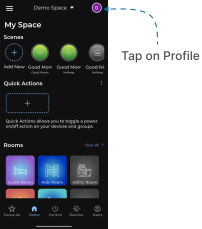
- Logout Account
- Tap on the Logout button located at the bottom of the screen.
- A confirmation popup will appear.
- Tap Logout again to confirm.
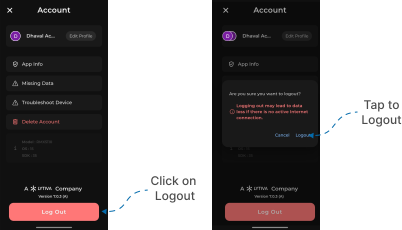
You will be successfully logged out from the Loft App.